
There are three common systems of measuring the temperature.
You can convert temperature measured in one system to another system by clicking Utilities and then Conversions.
Holding the Control key and typing q has the same result.
In the Conversions window, select Temperature. If you can't see the
word Temperature in the Measurement Type box, hit the  arrow
key a few times.
arrow
key a few times.
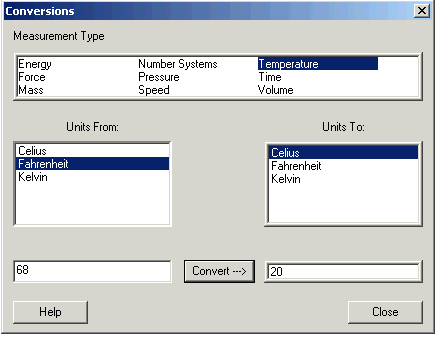
Click the system you have in the Units From: box, and the system you want in the Units To: box.
Enter the number in the lower left box and click Convert.
This window shows that 68°Fahrenheit is 20 Celsius.
The conversions are based on:
Temperature in Fahrenheit = 32 + 1.8 times Temperature in Celsius
Temperature in Kelvin = 273.15 + Temperature in Celsius