
If you are working with measurements (say distances in meters) and you come across one measured in another unit (say 5 feet) you can convert the feet to meters.
Click Utilities and then Conversions.
Holding the Control key and typing q has the same result.
In the Conversions window select Distance.
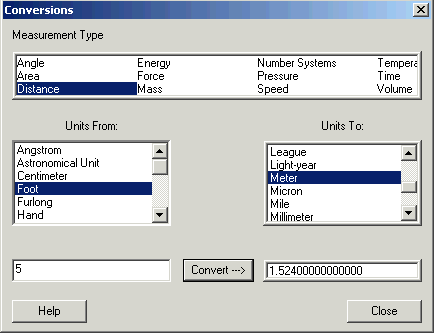
You want to convert the 5 feet into meters, so click Foot in the Units from: box
and click Meter in the Units to: box
Type 5 in the lowest box and click 
You get 5 feet is 1.524 meters.